Set the goal
A new project is a single brick on the board. While it stands alone the goal looks huge — that is the point.
Lay the goal out on a board: every task is a brick, and every brick breaks down into smaller ones. Nest it, collapse it, mark it done — by dragging. Any action is undone with a single tap.


The app is being prepared for the stores.
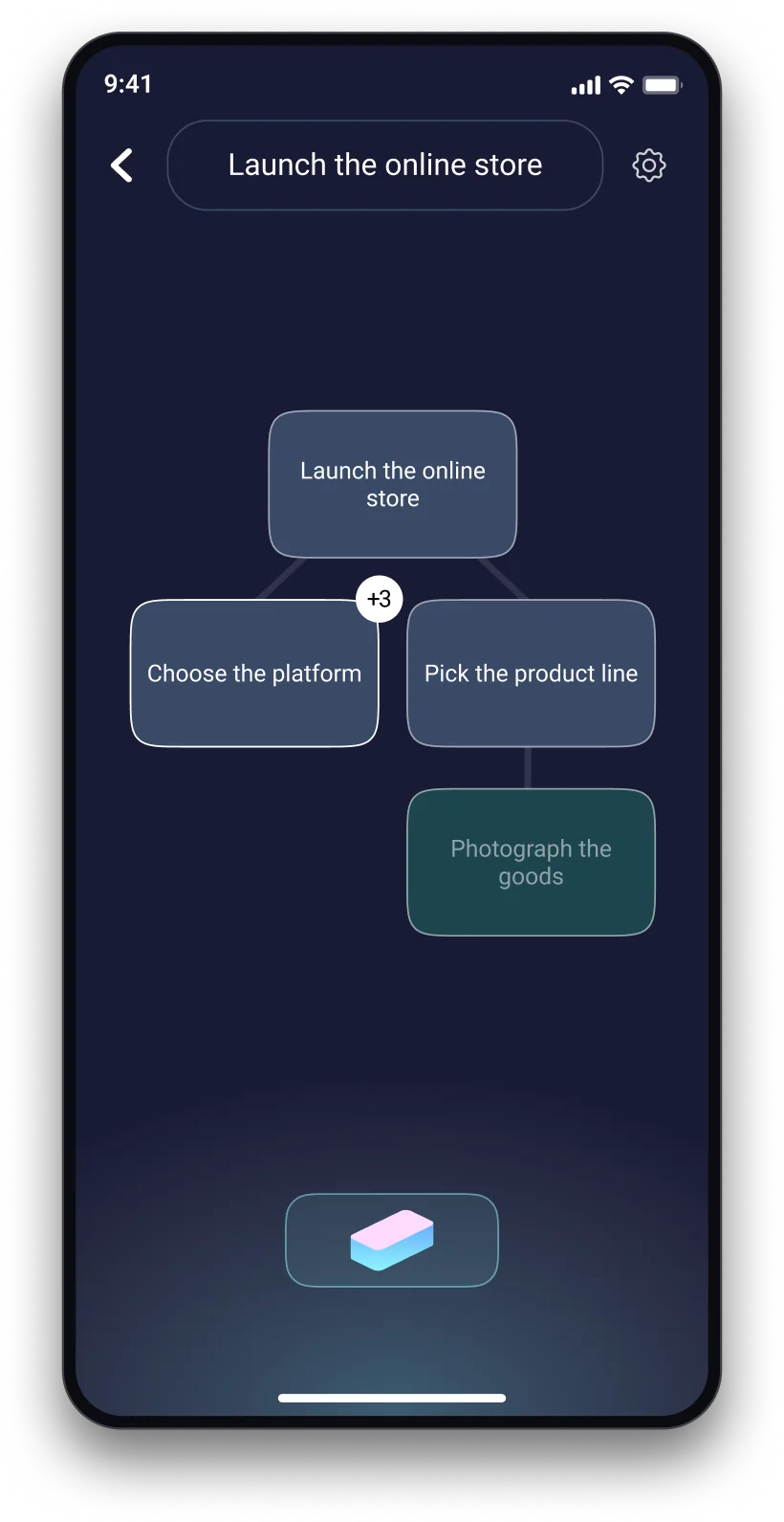
How it works
A new project is a single brick on the board. While it stands alone the goal looks huge — that is the point.
Drag a new brick onto an existing one and it becomes a part of it. The board grows wider and deeper, and a branch you are done with collapses in one gesture.
Drag a finished brick onto the checkmark. Unmarking and deleting work the same way — and any action is undone with a single tap.
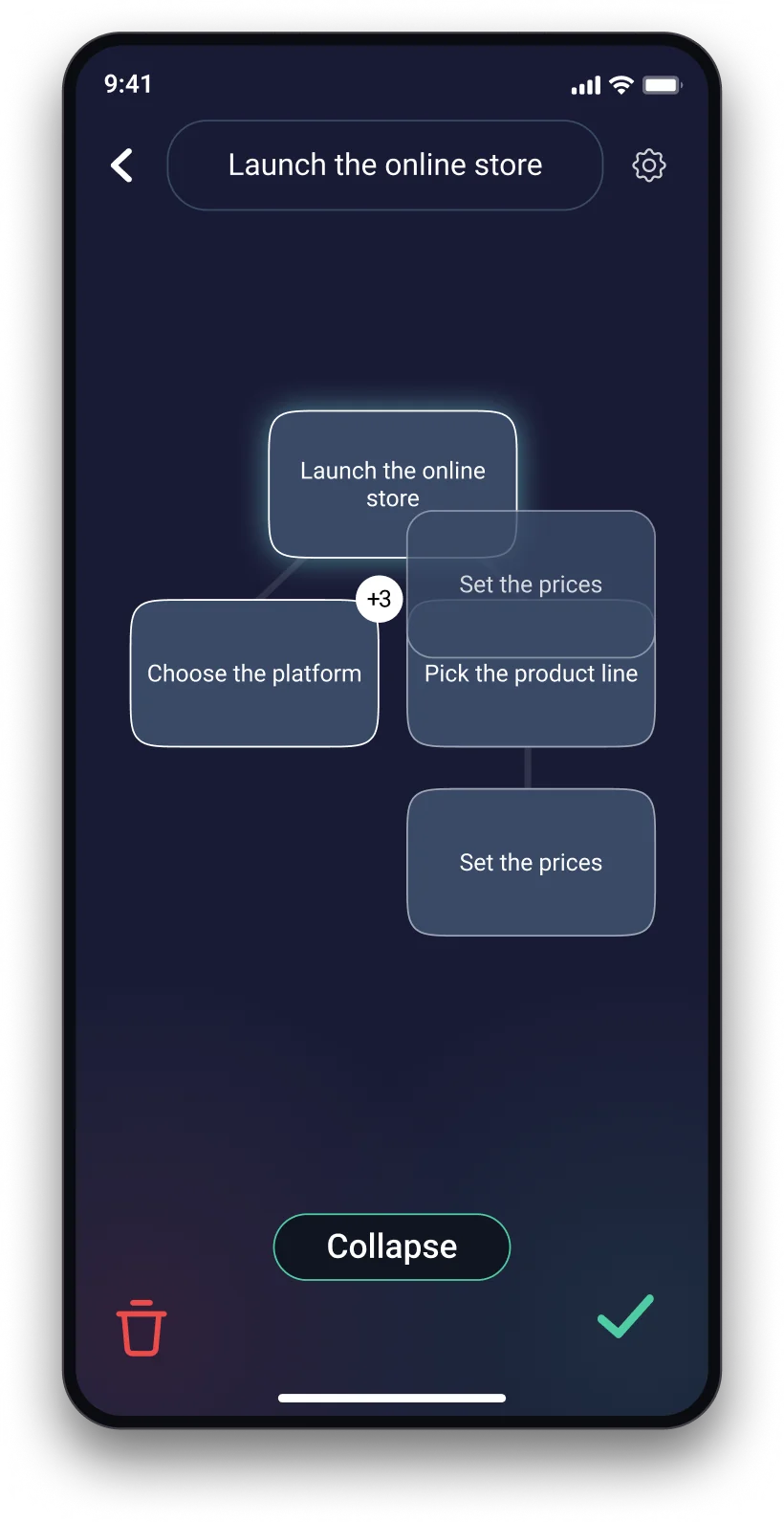
Drag one onto another — it becomes a part of it. New bricks are added the same way, from the button at the bottom of the board. The board grows wider and deeper, and a branch you are done with folds away in one gesture.
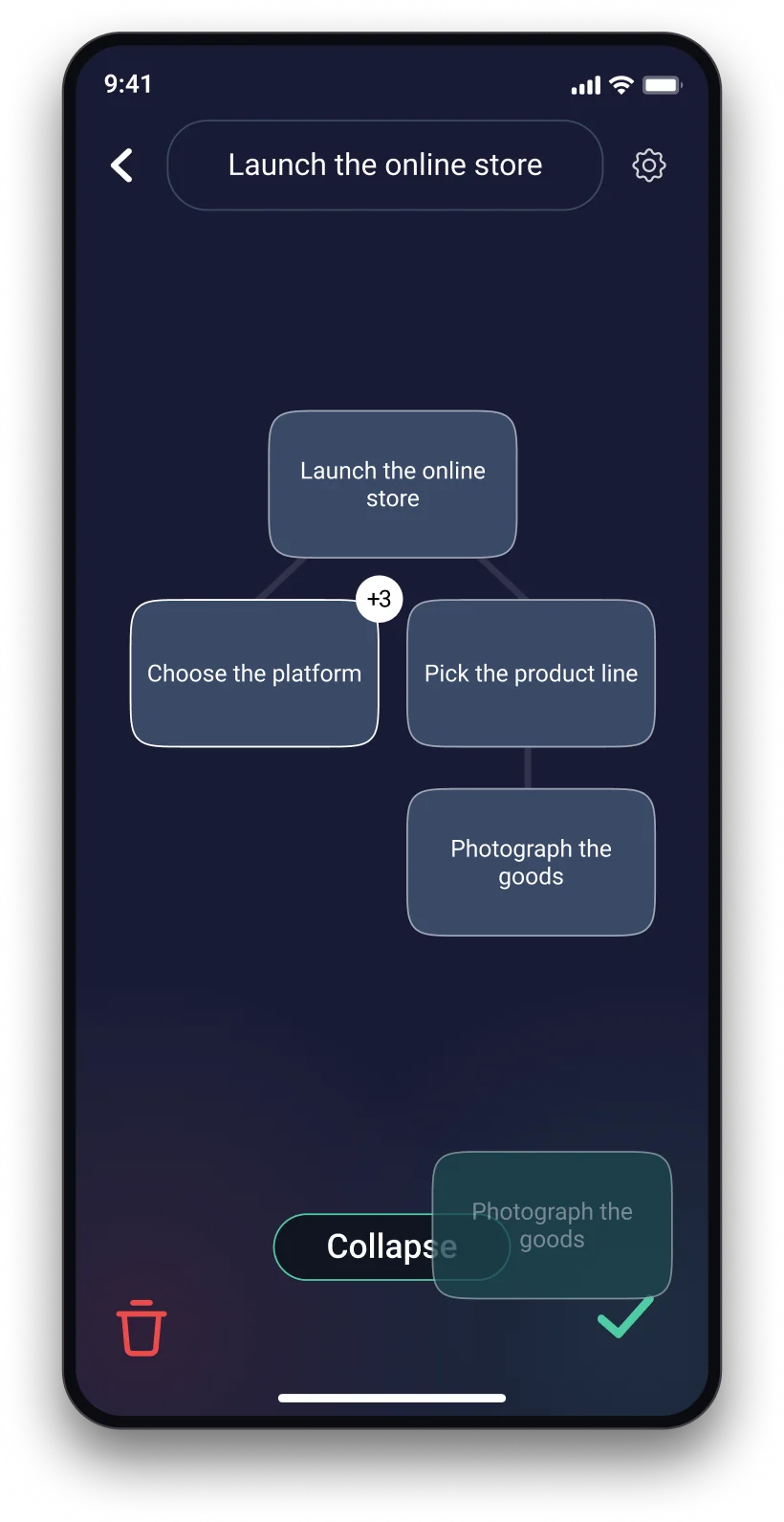
Drag the finished brick onto the checkmark, the clutter into the bin. No menus, no extra taps. Moved the wrong thing — undo it; changed your mind — redo it.
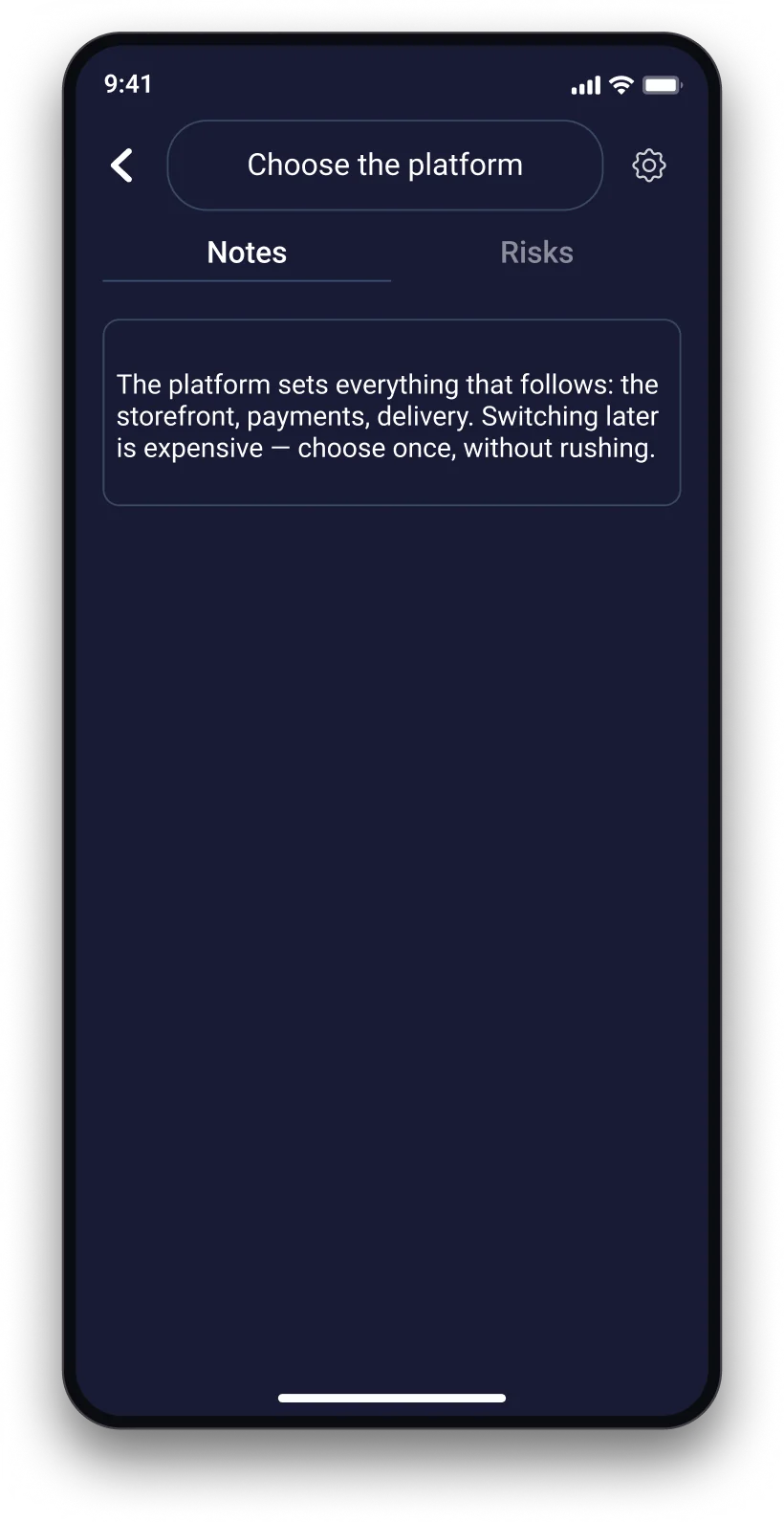
Notes: why it matters and what exactly has to be done. Risks: where it is easy to slip up. Opened right from the board.
Features
Every action on the board can be undone and redone. Move the bricks around without thinking twice.
Signing in by e-mail is optional: without it the app works in full, with it your boards sync across your own devices.
Language, theme and a horizontal board — turn the project 90° if it reads better that way.

Free, with no ads and no in-app purchases.